

Not actually a Surface.
Microsoft's intent with the Surface tablets is to create hardware that puts the software front and center; to provide the hardware necessary to allow Windows 8's strengths to really come to the foreground. At the launch event, however, the software took the back seat. This was all about the hardware, and with good reason.
The Surface tablets are smart, good-looking, carefully considered, well built, slick pieces of kit, and there's nothing even close on the market today. Of course, they're not on the market today either, but unless the PC OEMs inject a serious dose of quality in their their build and design processes, the Surface units will stand alone when they eventually go on sale.
Microsoft still isn't ready to let Joe Public get their grubby little hands on Surface. At the press event, we were given a number of demonstrations, shown a number of non-functional demo units, and given scant few seconds to touch real working devices. The Intel Core i5-powered Surface for Windows 8 Pro devices were not on display, either; only the ARM-powered Surface for Windows RT was available. However, the major design points are common between the two.
Surface for Windows RT's basic specs set the scene. It's 9.3 mm thick, has a mass of 676 grams, and sports a 10.6" 1366×768 screen. That puts it in the same size and weight ballpark as the iPad, though with a lower resolution 16:9 screen instead of the iPad's high-resolution 4:3 display. From a size and portability perspective, the Surface gets it right, but that's not unique.
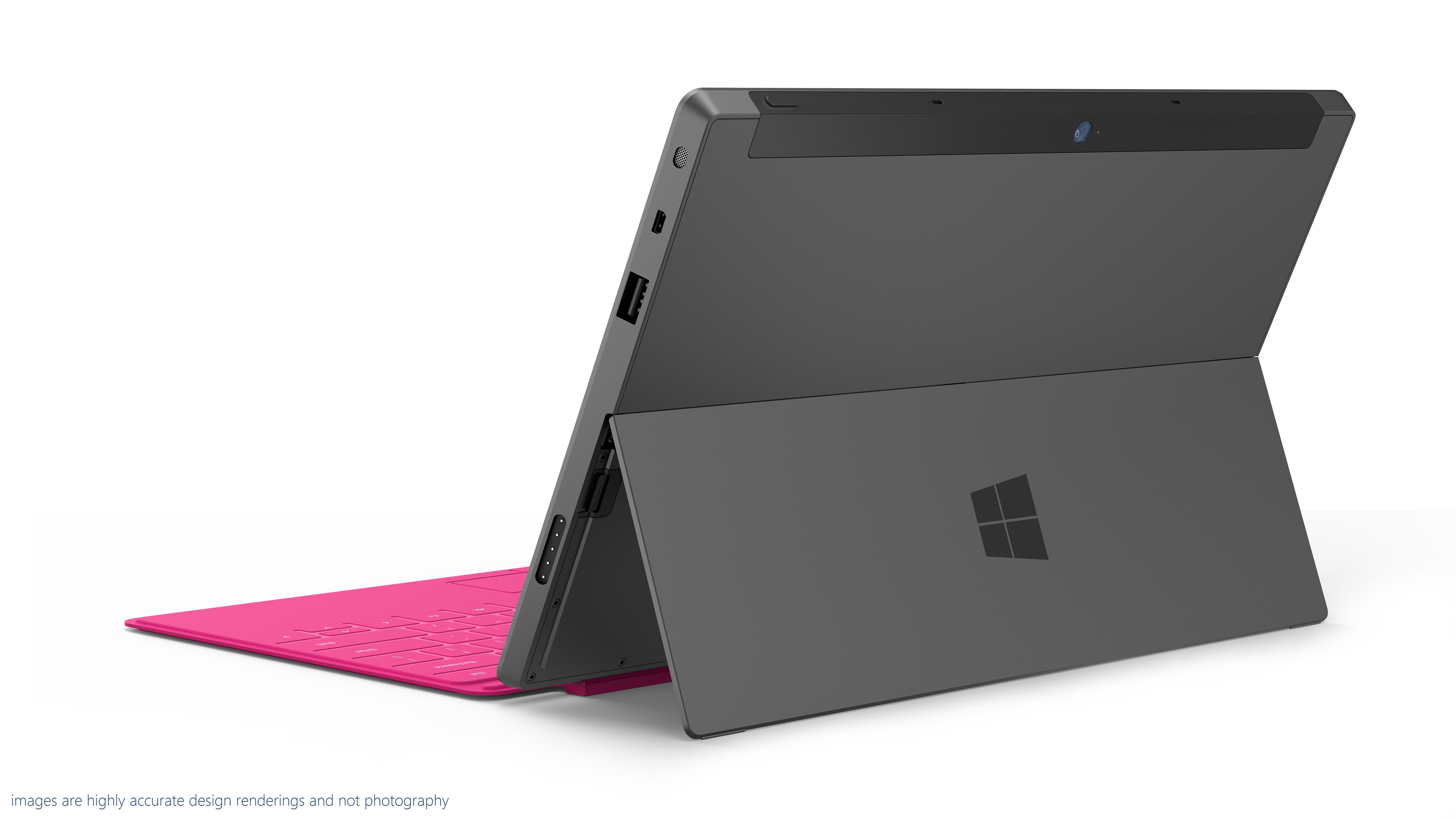
What makes Surface special is the attention to detail. The standard of the fit and finish of the prototypes on display was extremely high. The shell of the Surface is made of cast magnesium, with a vapor-deposited finish called VaporMg. The result is an attractive, scratch-resistant finish that's easy to grip and comfortable to hold.
The company explained that its casting and finishing process allows it to create edges as thin as 0.65 mm—less than the thickness of a credit card—and that these narrow castings and tight tolerances are essential to the device. Put a piece of sticky tape inside the Surface when you assemble it, and the finished product will bulge, it's so tightly packed together.

The small chamfer on the edge allows easy opening of the kickstand.
Another feature that was mentioned repeatedly was an angle; 22 degrees. The edges of the device are all chamfered at 22 degrees, an angle that Microsoft says makes the hardware fade into the background and comfortable to hold (though we'd have to have a lot more time with it to see if that's really true in practice). The kickstand also holds the screen at 22 degrees.
On its own, the angle is no big deal. But the attention to detail comes into play. The Surface has front and rear cameras. The rear cameras isn't, however, mounted so that it looks out perpendicular to the case. It's angled at 22 degrees too, so that when using the kickstand, the cameras looks straight out, rather than down.
If the company was pleased with the kickstand, it was positively boastful about the Surface's pair of combination keyboard-covers. There's the Touch Cover, available in five colors (grey, white, blue, pink, and orange), which integrates a multitouch keyboard into a 3 mm thick screen cover, and the Type Cover, which integrates a real keyboard with keyswitches into a slightly thicker cover.
Touch Cover has no keyswitches. It's based on pressure sensors, with the "keys" distinguished from each other with a different texture. There's plenty of smarts in the Touch Cover. Touch typists tend to rest their fingers on the home row. With a naive touch keyboard, that results in a lot of stray key presses. The pressure applied during real keypresses is different, however, from that of resting on the home row, and the logic in the keyboard can tell the difference.
The keyboards also include gyroscopes so they can tell when they've been folded back behind the Surface, so that they can be disabled when tucked out the way.
How well does all this cleverness work? That we don't know. Microsoft says that the Touch Cover allows typing speeds twice as fast as those possible on glass, but until we can actually use one, the company's claim is untested.
Both covers connect to the Surface with a satisfyingly solid magnetic connector. It's designed to mate automatically without requiring careful alignment, and that certainly worked well.

The magnetic connector snaps together with ease.
(Thanks to Peter Bright of Ars Technica)
http://arstechnica.com/information-technology/2012/06/a-first-look-and-feel-of-microsofts-first-pc/?utm_source=feedburner&utm_medium=feed&utm_campaign=Feed%3A+arstechnica%2Findex+%28Ars+Technica+-+All+content%29

No comments:
Post a Comment